Notifications
Get notified when your car starts driving, starts charging, or runs low on battery.
Sixteen event types, Live Activities on the Lock Screen, and no account to sign up for.
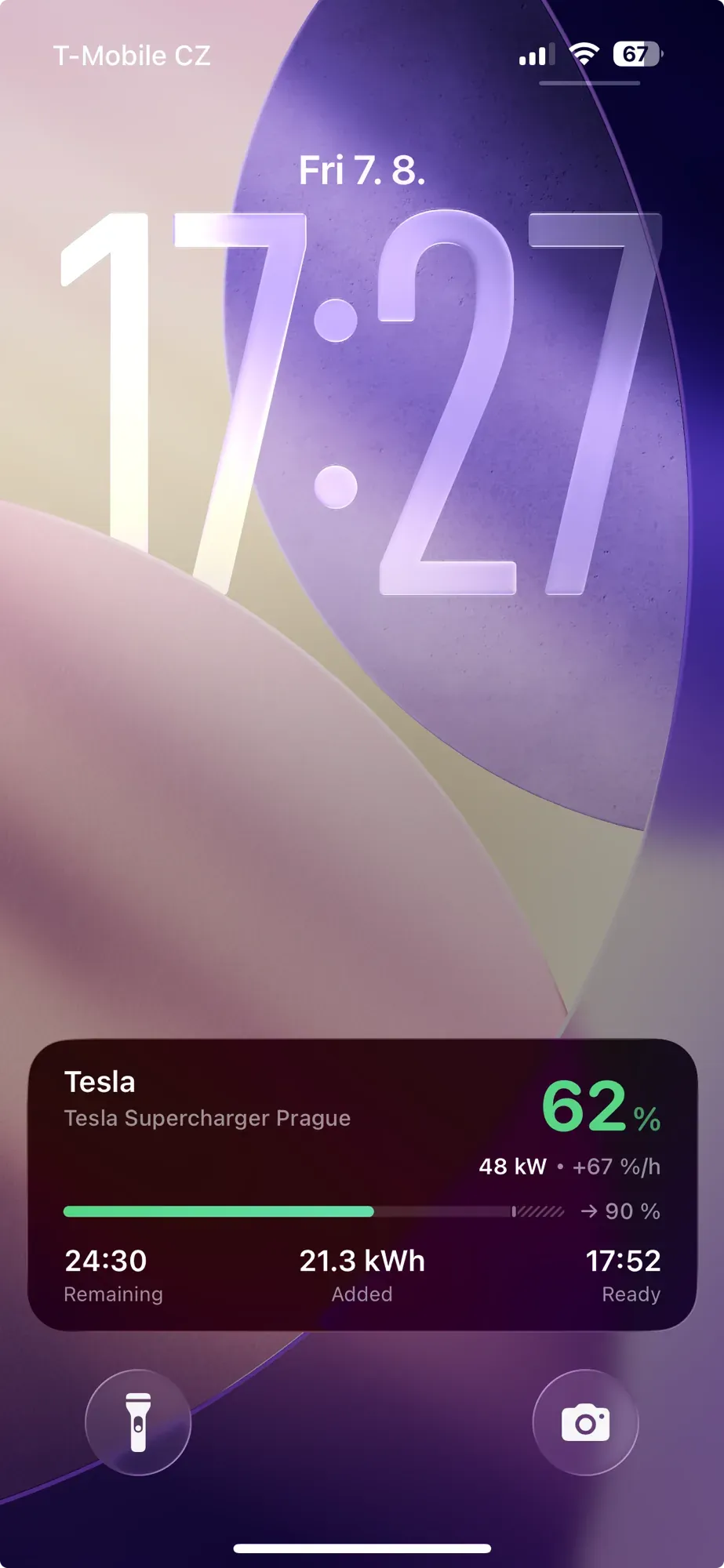
Live Activities on your Lock Screen
Real-time charging and driving progress on your Lock Screen and in the Dynamic Island.
How it works
Add HedgieMate Notifier to your Docker Compose. It connects to your MQTT broker.
- Your Server A small container reads your TeslaMate MQTT topics and spots the state change.
- Apple Push It posts a signed event to the HedgieMate relay, which hands it to Apple.
- Your Phone Apple delivers it. Your per-car settings in the app decide what arrives.
Every hop points outward. Nothing ever connects into your TeslaMate.
Setup
Add this container to your TeslaMate Docker Compose file.
-
Open HedgieMate, go to Notifications and enable them. The app gives you a linking token and a server ID.
-
Add the Notifier container to the Docker Compose file next to your TeslaMate.
docker-compose.yml# add under services: in the docker-compose.yml you run TeslaMate from hedgiemate-notifier: image: hedgiemate/notifier:latest restart: unless-stopped depends_on: - mosquitto environment: HEDGIEMATE_USER_TOKEN: "hm_your_token_here" SERVER_ID: "your-server-uuid" MQTT_HOST: "mosquitto" CAR_IDS: "1" -
Start the container. The app confirms the connection on its own.
Run this Docker setup next to each of your TeslaMate servers. The same linking token works across all of them.
Full guide
Every environment variable, the Docker run alternative, troubleshooting and questions.
What gets notified
Every event below can be switched on or off per car in the app.
Driving
- Drive Started
- Drive Ended
Charging
- Charging Started
- Charging Completed
- Charging Interrupted
- Plugged In
- Unplugged
Battery
- Battery Low
- Battery Target Reached
Location
- Geofence Entered
- Geofence Exited
Security
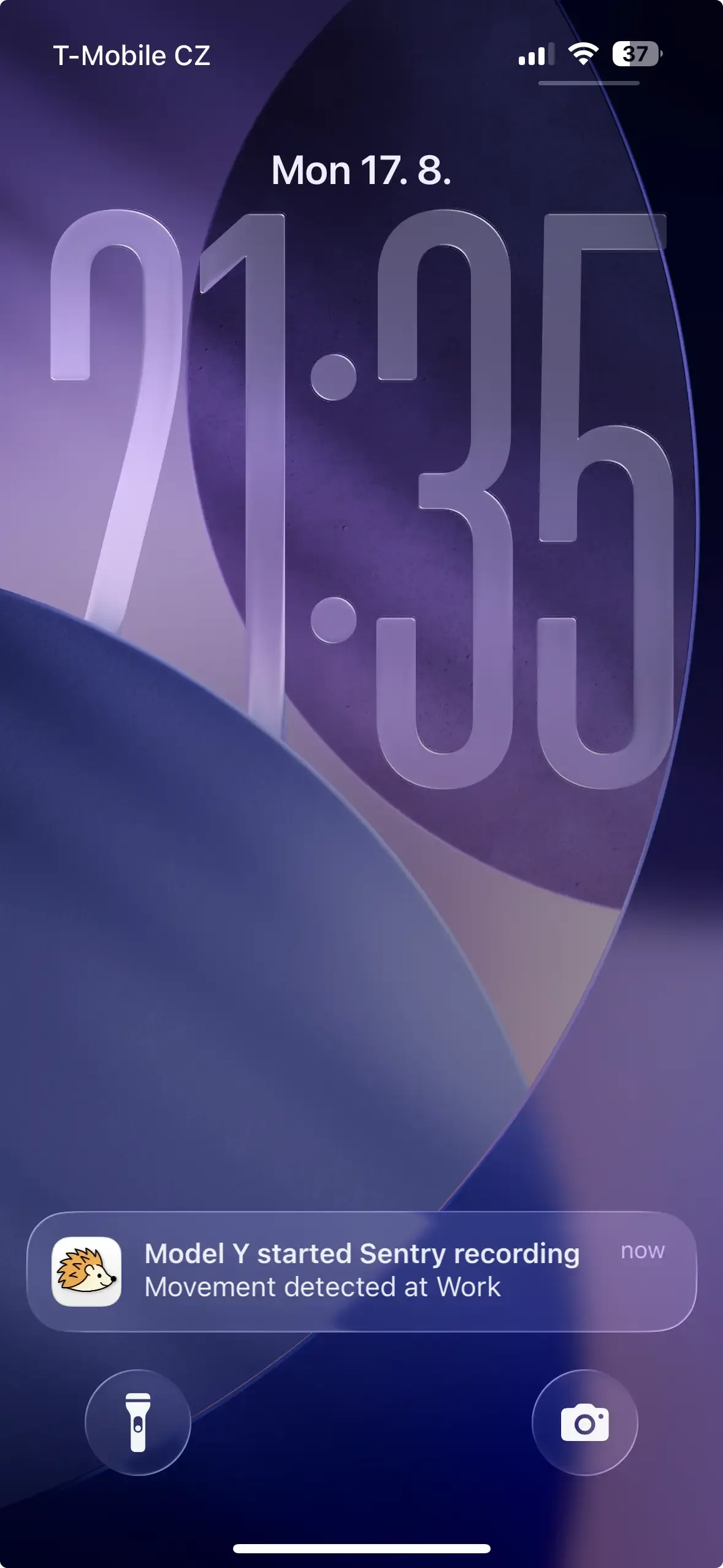
- Sentry Recording
Vehicle
- Software Update
- Falling Asleep
- Asleep
- Woke Up
Your Data
Temporary
Battery level, charging state, location name, used to confirm delivery
Event data is deleted after a few hours.
Never Collected
- Coordinates and driving routes never leave your TeslaMate.
- Your TeslaMate's address stays private. The Notifier reaches out to us, never the other way around.
- We never see your Tesla password, email, or API token.
All communication is encrypted (TLS). The Apple Push Notification server never contacts your server. Your notification data is never sold, shared, or used for ads.
Requirements
- TeslaMate with an MQTT broker, which is the default setup
- Docker on the same machine as TeslaMate
- Outbound internet access, with no inbound port to open
Not getting notifications?
- Docker container is running
- MQTT broker is connected
- Linking token matches your config
Need Help?
Having trouble with setup? We're here to help you get started.