What's New

Stay up to date with the latest features and improvements

v1.18.3 Latest Improvements

More Vehicle Details, Richer Drive & Charge Stats

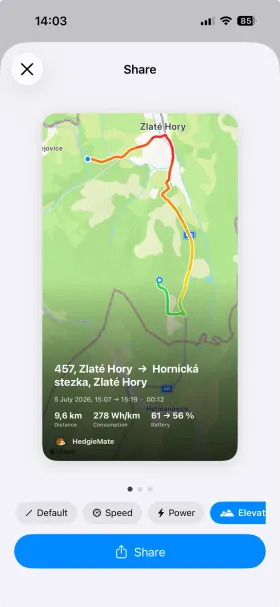
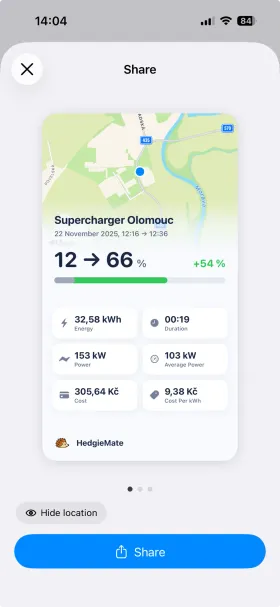
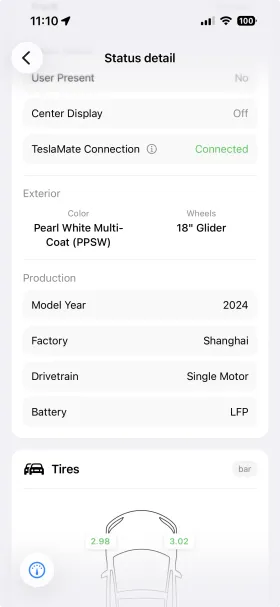
Vehicle status now shows more about your car: model year, factory, drivetrain, and battery type. Drive details display battery usage and average consumption right on the fullscreen map, charge details show average charging power, and you can step through periods on the Charging and Driving screens. This release also fixes a rare Apple Watch crash at launch and polishes iPad layouts.

  • Model year, factory, drivetrain, and battery type in vehicle status
  • Battery usage and average consumption on the fullscreen drive map
  • Average charging power on charge detail
  • Step through previous and next periods on Charging and Driving screens
  • Optional trust for self-signed server certificates
  • Fixed a rare Apple Watch crash at launch and improved iPad layouts
v1.18.2 New Features

Statistics Navigation, Preconditioning Energy & Polish

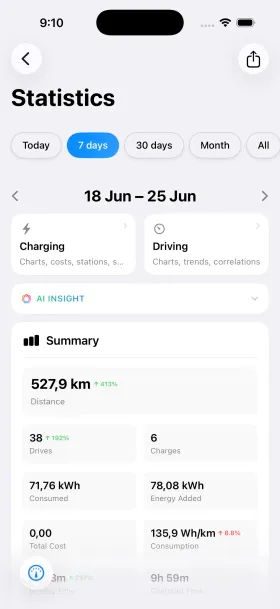
Statistics now let you step through previous and next periods with a tap. You can keep the tab bar always visible if you prefer, and preconditioning and overheat protection energy are now shown in vehicle status. This release also adds Polish language support along with a fix for intermittent connection errors.

  • Step through previous and next periods in Statistics
  • Option to keep the tab bar always visible
  • Preconditioning and overheat protection energy now shown
  • Polish language support
  • Fixed intermittent connection errors and other bug fixes
v1.18.1 Improvements

Plan Trips Ahead & Faster Maps

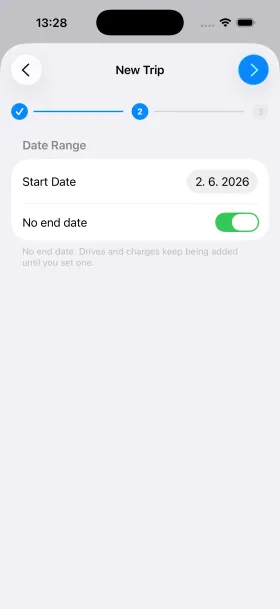
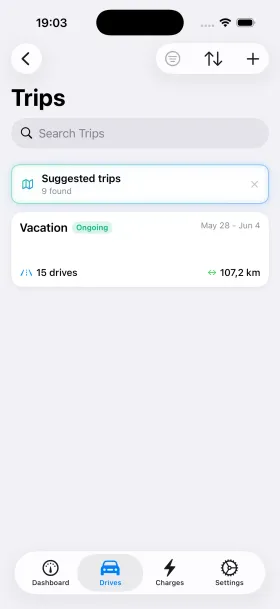
Set a date range and a trip fills in automatically as you drive, with Upcoming and Ongoing labels and one tap to end it. Long trips with lots of GPS data now open faster, and choosing between MyTeslaMate and a self-hosted server when adding a connection is clearer.

  • Plan trips ahead with a date range that fills in as you drive
  • Upcoming and Ongoing labels, with one tap to end a trip
  • Faster, smoother maps for long trips with lots of GPS data
  • Clearer choice between MyTeslaMate and self-hosted when adding a connection
  • More polish and bug fixes
v1.18.0 New Features

Multi-Server, Suggested Trips & Custom Date Ranges

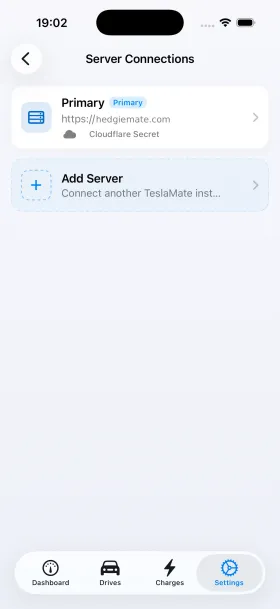
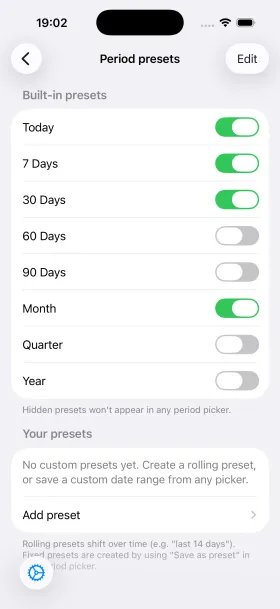
Connect to multiple TeslaMate instances and switch between cars on different servers from a single app. HedgieMate now spots road trips across your drives and offers to group them into one, and you can define your own date ranges to apply with one tap across Statistics, Drives, and Charges. This release also adds Thai and French language support.

  • Multi-Server: connect to multiple TeslaMate instances and switch between cars from one app
  • Suggested trips: HedgieMate groups related drives into a single road trip
  • Custom date ranges applied with one tap across Statistics, Drives, and Charges
  • Thai and French language support
  • Various polish and bug fixes
v1.17.0 New Features

Shortcuts, Route Coloring Memory & Native macOS + Vision Pro

Run app actions through Shortcuts and Siri, plus keyboard shortcuts in the new native macOS app. Your route coloring choice now stays the same between drives. HedgieMate is also available as a native app on Vision Pro.

  • Shortcuts and Siri integration for quick access to Tesla data
  • Route coloring choice saved between drives
  • Native macOS app with keyboard shortcuts
  • Native Vision Pro app
  • Bug fixes and improvements
v1.16.2 Improvements

Spanish Support, Consumption Fix & Bug Fixes

This bugfix release adds Spanish language support, corrects the consumption calculation and includes improvements based on your feedback along with other minor fixes.

  • Added Spanish language support
  • Fixed consumption calculation
  • Improvements based on your feedback
  • Other minor bug fixes
v1.16.1 Improvements

Stability & Translation Improvements

This maintenance release improves app stability and performance with faster navigation and lower memory usage. We've also refined translations across all supported languages for a smoother experience.

  • Improved app stability and performance
  • Faster navigation and lower memory usage
  • Refined translations across all supported languages
  • Bug fixes and reliability improvements
v1.16.0 New Features

Statistics, Redesigned Charts & EV Savings Calculator

Get a complete overview of your driving and charging data with the new Statistics section. All your interactive charts have been redesigned, instead of multiple separate graphs, everything is now presented in a single unified view. Plus, the new EV Savings Calculator lets you compare your electricity costs against gas spending to see exactly how much you're saving by driving electric.

  • Statistics with a complete overview of your driving and charging data
  • Redesigned interactive charts, all data in a single unified graph instead of multiple separate ones
  • EV Savings Calculator to compare electricity costs against gas spending
  • Bug fixes and performance improvements
v1.15.0 New Features

Live Charging View & Dashboard Redesign

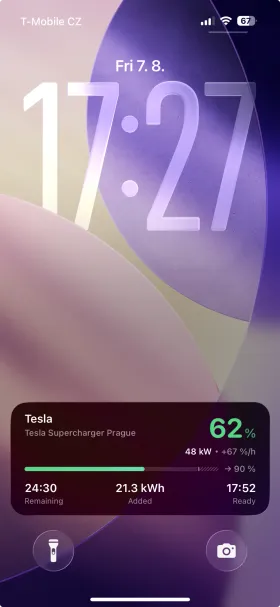
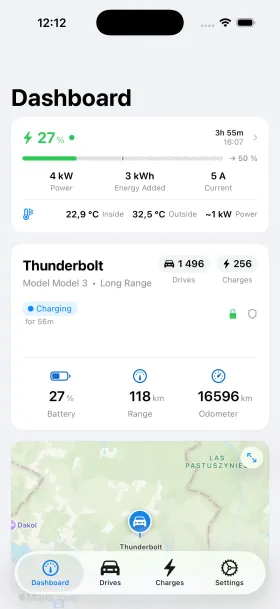
Monitor your charging sessions in real time with the new Live Charging View. Interactive charts display power output and battery level as your Tesla charges, giving you complete visibility into every session. This update also brings full support for TeslaMate API 1.24 and a refreshed dashboard design with improved layout and smoother navigation.

  • Live charging session view with real-time interactive power and battery level charts
  • Full support for TeslaMate API 1.24
  • Refreshed dashboard design with improved layout
  • Bug fixes and performance improvements
v1.14.1 Improvements

Precision & Polish

This update focuses on refining your HedgieMate experience with improved accuracy and better time handling. Vehicle status now displays time information more clearly, and users in China will notice significantly improved coordinate precision on maps. We've also added complete Portuguese language support, welcoming our Portuguese-speaking Tesla community.

  • Enhanced time display for vehicle status updates
  • Improved coordinate accuracy for China region maps
  • Full Portuguese language support (Português)
  • Bug fixes and stability improvements